
Nov 2026
/
5 min read
Apple TV 4K (4th Generation): A Family Calendar Without a Subscription
Use Apple TV 4K (4th generation) as a family calendar. Connect by QR code, choose your shared calendars, and pay once with no recurring app subscription.
Your Apple TV can be useful before anyone presses play. With TV - Family Calendar, Apple TV 4K (4th generation) becomes a shared calendar display for school activities, appointments, work plans, and the small things that keep a household moving.
Connect using a QR code, choose the calendars you want to show, and check the day from across the room. The app is a one-time purchase of US$14.99, with no recurring subscription or in-app purchases. Regional App Store prices may differ. This guide is written by ANCREATIVE, the app’s developer.
Compatible with Apple TV 4K, fourth generation
TV - Family Calendar supports Apple TV devices running tvOS 26.1 or later, including Apple TV 4K (4th generation). Update your device software and check the app’s compatibility information before purchasing.
Apple lists the fourth-generation model in its Apple TV 4K technical specifications. This is the Apple TV hardware connected to your television through HDMI. The Apple TV streaming app built into a smart television cannot install TV - Family Calendar.
You do not need to replace an older compatible Apple TV just to use the calendar. The software requirement is what matters: check your installed tvOS version against the app’s requirements on the App Store.
A smooth way to check the household schedule
The experience is designed around a simple routine: open the calendar, move between day, week, and month views with the remote, and see what is coming up. There is no need to pass a phone around or open several calendar accounts just to discuss tomorrow.
Use day view when you want to focus on today’s commitments. Switch to week view for school pickups and recurring activities, then use month view to spot a busy weekend or an upcoming trip. Calendar colors help separate the different parts of your family’s life.
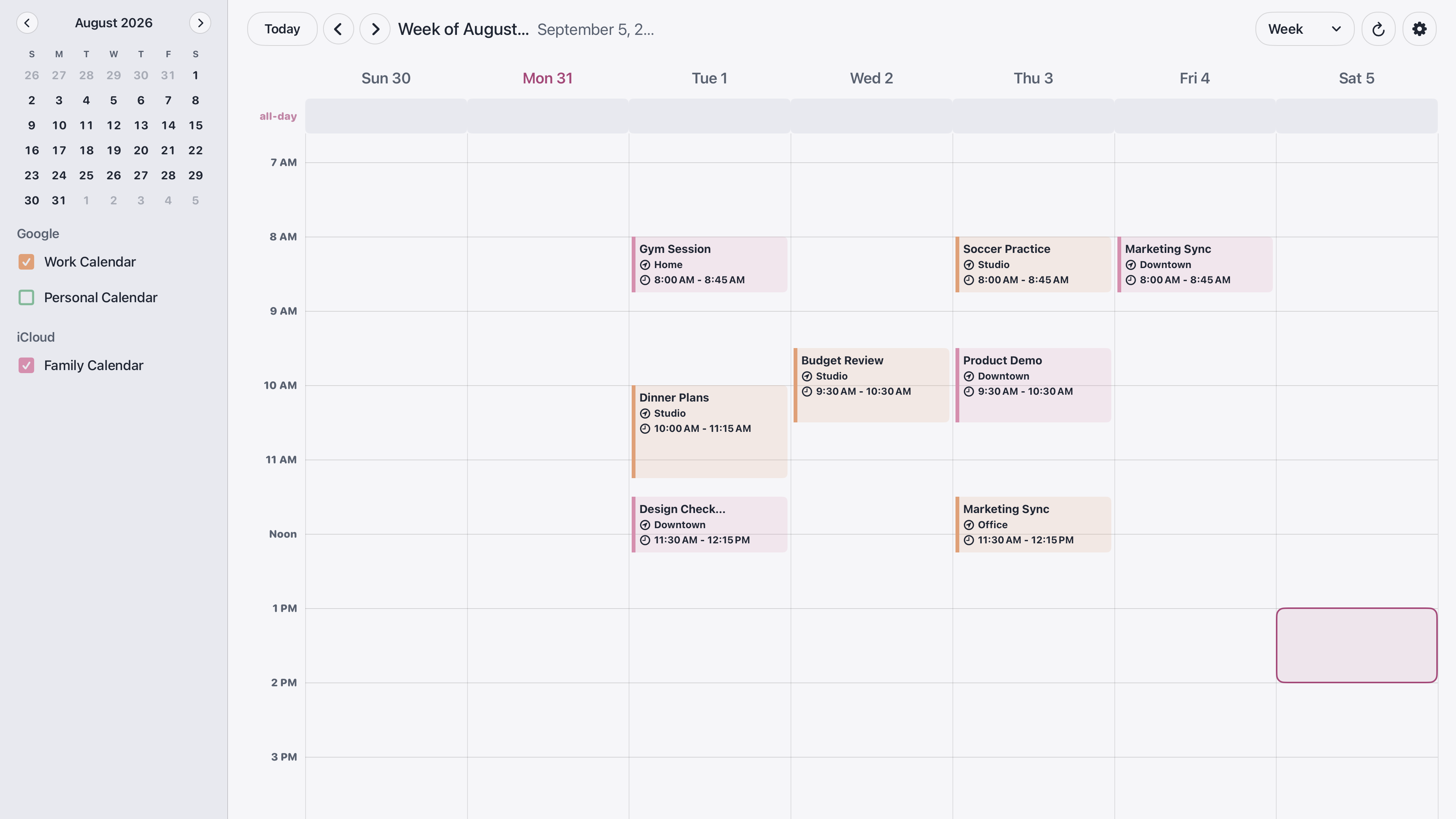
For example, a household could display a school calendar, a shared family calendar, and a calendar for activities. Each person keeps using their usual calendar app to make changes; the television gives everyone one place to look.
The app is built for straightforward remote navigation. Calendar refreshes still depend on your network and calendar provider, so a smooth display experience does not mean every change appears instantly.
Connect easily with a QR code
Setup starts on the television and continues on your phone or computer. You do not have to type a long calendar address with the Apple TV remote.
- Install TV - Family Calendar from the Apple TV App Store and open it.
- Scan the QR code shown on your television with your phone.
- Alternatively, open the pairing page on a phone or computer and enter the setup code shown on the TV.
- Follow the connection flow for Google Calendar, Outlook Calendar, or an iCloud calendar subscription link.
- Return to the TV and choose which calendars to display.
You do not need another Apple device for setup. A phone or computer with a browser can complete pairing. For Google Calendar sign-in and missing-event troubleshooting, see our Google Calendar on Apple TV guide.
Privacy matters when the screen is shared
TV - Family Calendar uses calendar information to provide pairing, syncing, and your calendar display. We do not sell that information or use it for advertising, analytics, or profiling. Google and Outlook connections use read-only calendar access: you continue creating and editing events in your existing calendar app.
Privacy also means being clear about how each connection works:
- **Google and Outlook:** sign-in authorizes read-only access. Connection tokens are stored on our backend to keep syncing working, and calendar information passes through the backend to reach your TV.
- **iCloud:** setup uses a public calendar subscription link. Anyone who has that link can read the calendar, so use a calendar intended for sharing and keep the link protected.
- **Your television:** people in the room can see the events you display. Choose shared household calendars and leave sensitive personal appointments off the screen when appropriate.
You control which calendars appear. Read the TV - Family Calendar privacy policy for connection storage, permissions, and how to revoke access or request deletion of stored tokens.
Pay once, without another monthly bill
TV - Family Calendar costs US$14.99 as a one-time app purchase. There is no recurring app subscription and no in-app purchase required to unlock the calendar features.
If you already have a compatible Apple TV and television, you can use that setup for your shared schedule. If you are buying hardware, budget for it separately: the app purchase does not include an Apple TV or display. Check the App Store for the price in your region.
For a comparison with a dedicated calendar screen, read Apple TV Calendar vs. Skylight.
Make it part of your morning
Choose Light, Dark, or System appearance and a theme that fits your room. Enable Keep Screen Awake if you want the calendar to remain visible while the app is open. The calendar does not stay over movies or other apps; open it when you want the household’s plans on screen.
A quick glance before breakfast can answer the useful questions: who needs to be where, what time to leave, and whether anything overlaps. That is the point of a shared calendar—less checking in separate places, and more time to get on with the day.
Explore TV - Family Calendar for screenshots and features, or get the app on the App Store. Pair with a QR code, choose your calendars, and give the family a shared view of what is next.