
Oct 2026
/
3 min read
Apple TV Calendar vs. Skylight: Which Fits Your Family?
Compare using your Apple TV as a family calendar with a dedicated Skylight display: hardware, subscriptions, calendar access, and everyday tradeoffs.
The best family calendar display depends on where you will use it. If your household already checks the television together, an Apple TV calendar app can fit that routine. If you want a separate screen by the kitchen or front door, a dedicated calendar may be more practical.
We make TV - Family Calendar. This guide compares approaches using published product information, not hands-on testing or an independent ranking. Product information was checked on October 9, 2026.
When an Apple TV calendar makes sense
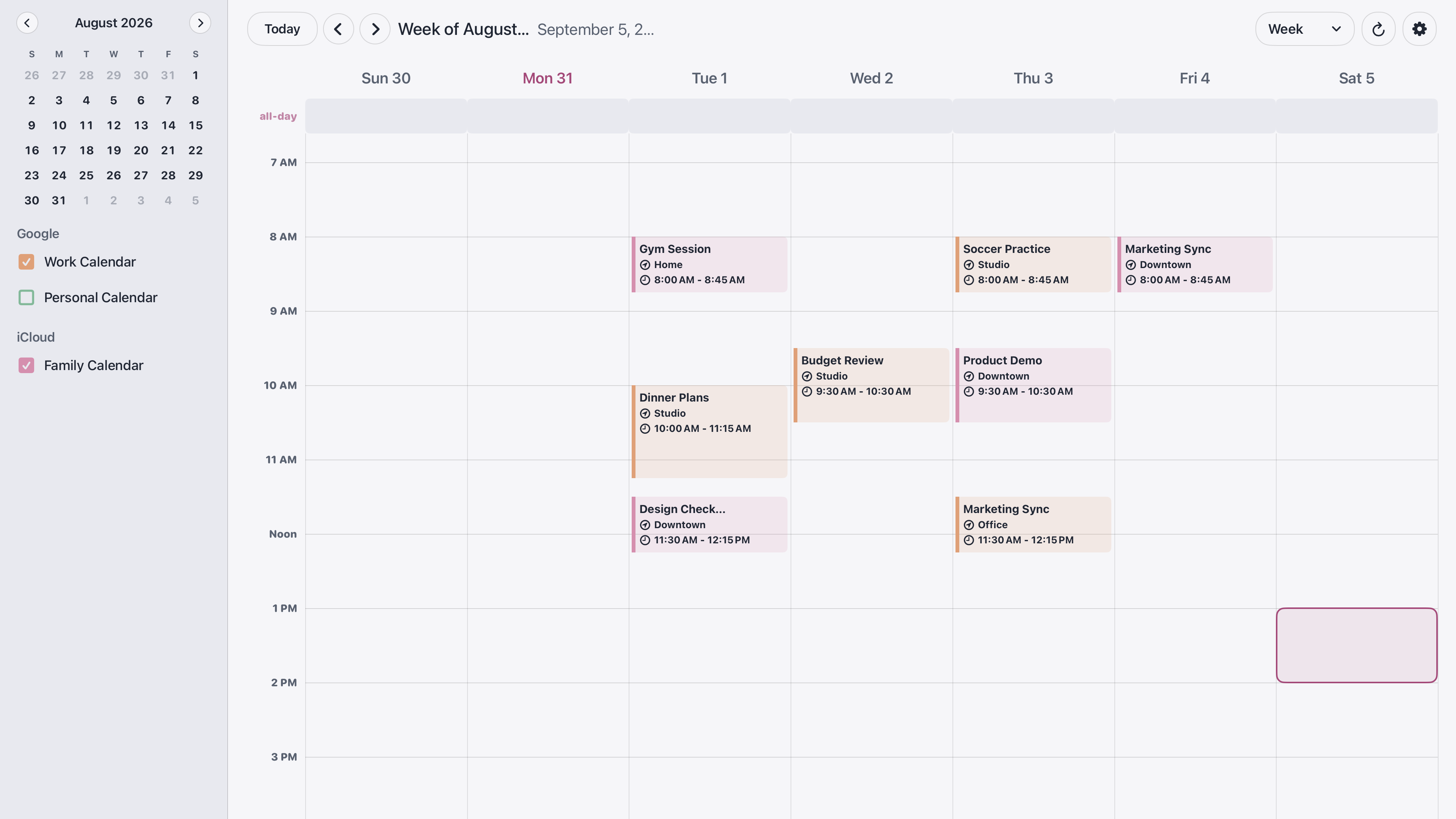
TV - Family Calendar displays Google and iCloud calendars on an Apple TV. It is a one-time purchase with no subscription or in-app purchases. The US App Store listing shows $9.99 and requires tvOS 26.1 or later. Regional prices may differ.
Consider this approach when you already own compatible hardware and want a shared view of existing events. Budget for an Apple TV and television if you do not already have them; the app price alone is not the total setup cost.
Keep the room's routine in mind. A television used for entertainment will not show the calendar while another app is on screen. Think about whether everyone will remember to open the calendar and whether they can comfortably read it from their usual seats.
When a dedicated Skylight display makes sense
Skylight Calendar is a separate touchscreen device. Its published features include calendar syncing, on-device event management, tasks, and lists. It supports Google, Apple, Outlook, and other calendar services.
Skylight offers core features without a subscription, with additional features such as meal planning and event imports under Calendar Plus. Check its current hardware prices and plan details before buying. It would be misleading to describe every Skylight calendar function as requiring a subscription.
A dedicated display may suit a household that wants to leave a calendar in one place and interact with it directly. Measure the intended location, check nearby power, and consider whether children and adults can reach the screen.
Questions to answer before choosing
- Where will everyone see the schedule during an ordinary day?
- Do you want to view events, or also edit them at the display?
- Which calendar services does your household actually use?
- What is the total cost, including hardware and any optional recurring features?
- Are the events appropriate for visitors and everyone else in the room to see?
Can I show Google Calendar on my television?
With TV - Family Calendar, connect Google Calendar during pairing and continue editing events in your usual calendar app. For the setup steps and iCloud sharing considerations, see our Apple TV family calendar guide.
Choose based on the daily habit you want to build. Reviewing tomorrow's schedule together on the living-room TV and checking a dedicated screen on the way out the door are both useful routines; the right display is the one your household will use.