
Oct 2026
/
5 min read
Google Calendar on Apple TV: Setup and Missing Events
Connect Google Calendar to Apple TV, choose your calendars, and troubleshoot missing events or the screen saver. A step-by-step TV - Family Calendar guide.
You can display Google Calendar on an Apple TV device using TV - Family Calendar. Pair the TV from your phone or computer, connect your Google account with read-only access, and view your schedule on the television. You continue editing events in Google Calendar.
This guide is written by ANCREATIVE, the maker of TV - Family Calendar. The app is a one-time purchase; check the App Store for current regional pricing.
What you need before setup
- An Apple TV device running tvOS 26.1 or later, connected to a television.
- TV - Family Calendar installed from the Apple TV App Store.
- A phone or computer to open the pairing page and sign in to Google.
- A Google account with access to the calendar you want to display.
The Apple TV streaming app on a smart TV is not an Apple TV device and cannot install this calendar app. You do not need a second Apple device to complete pairing.
Step 1: Open the calendar app on Apple TV
Install TV - Family Calendar, then open it on your Apple TV. Use the QR code or pairing code displayed by the app. Keep that screen available while completing setup on your phone or computer.
Step 2: Pair from your phone or computer
Scan the QR code, or open the calendar pairing page and enter the code shown on the TV. Choose Google Calendar, then sign in to the Google account that has access to your schedule.
Review the Google authorization screen and complete the connection. The integration uses read-only calendar access: it displays events and does not edit your Google Calendar. Unlike an iCloud public subscription link, this connection uses Google sign-in.
Step 3: Check the calendar and view on the TV
Return to the Apple TV app after the connection completes. Open its calendar settings to check which calendars are enabled for display, then choose day, week, or month view. Use a distinct color for each calendar so that family and work plans are easier to distinguish.
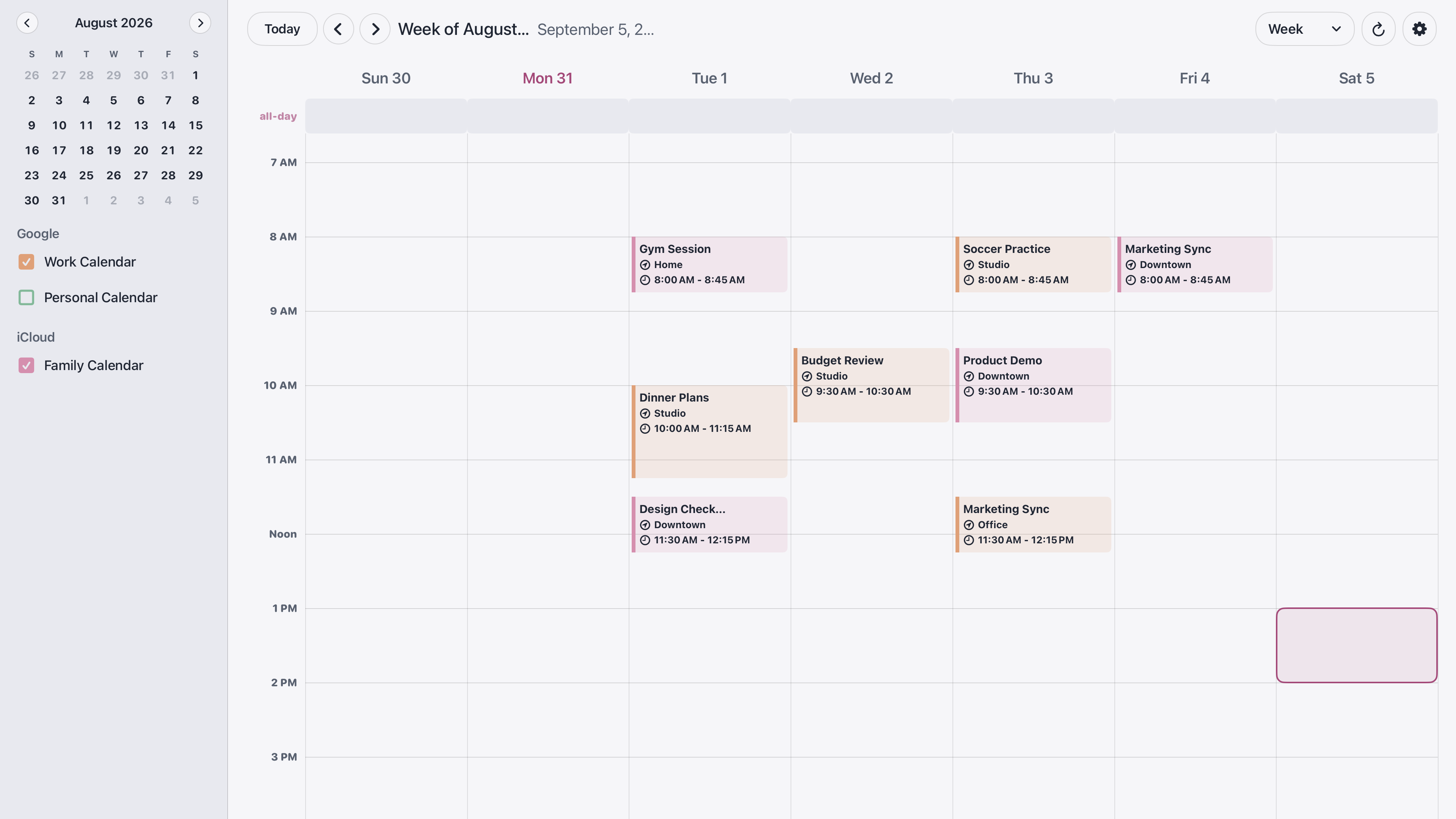
Add and change events in Google Calendar on your phone or computer. The TV is a shared display, so choose calendars whose contents are appropriate for everyone in the room.
If a calendar or event is missing
First open Google Calendar on your phone or computer using the same Google account you connected to the TV. Confirm that the missing event appears there and check which calendar owns it. An event visible in another signed-in account is not necessarily available to the account paired with the TV.
Next, check the calendar selections in the TV app. A connected account may contain several calendars, and the one you need may not be enabled for display. Make sure the date range you are viewing includes the event.
If the event is missing in Google Calendar too, resolve the account or sharing issue there first. If it appears in Google Calendar but not on the TV, check network connectivity and reopen the calendar app. For a connection that needs renewed authorization, follow the app’s pairing flow again.
For work or school accounts, your organization may restrict third-party app access. Check with your administrator if Google blocks the connection; changing a display setting on the TV will not override an account policy.
If the screen saver covers your calendar
Enable Keep Screen Awake in the app’s Settings. This setting prevents the screen saver while the calendar is open. It does not turn the calendar into a background overlay for movies or other apps. If the television itself powers off, check its separate sleep or energy-saving settings.
Can I edit Google Calendar events with the remote?
No. TV - Family Calendar is a read-only display. Create, change, and delete events in your existing calendar app, then use the TV to see the shared schedule.
Can I combine Google with iCloud or Outlook?
The app also supports Outlook sign-in and iCloud public calendar subscription links. An iCloud public link can be read by anyone who has the link, so use a calendar intended for sharing. See the full family calendar setup guide for an overview of the display and appearance options.
If you are deciding between an existing TV and a dedicated screen, read the Apple TV calendar and Skylight comparison. Visit the Apple TV calendar app page for screenshots, compatibility, and download details.