


iCloud Calendar
Connect with a public calendar link
Copy your public iCloud calendar link and paste it on the pairing page.
Anyone with the link can read this calendar.
TV - Family Calendar
TV - Family Calendar brings Google Calendar, Outlook Calendar, and iCloud Calendar together on your TV. See everyone’s plans in day, week, or month view, with light and dark themes and no subscription.
Explore light, dark & color themes ↓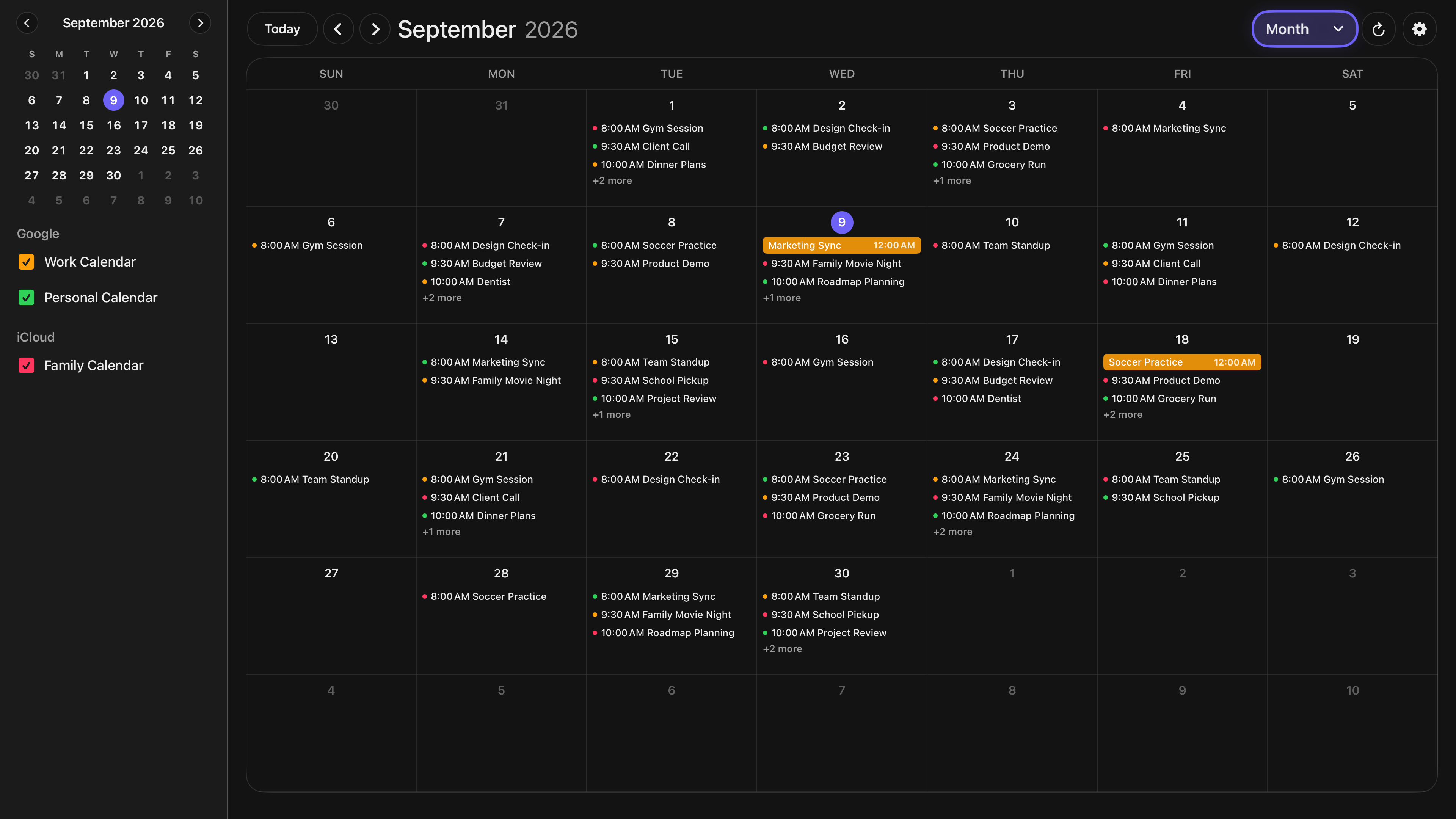
Month view · Dark mode
Your calendars, together
Bring your family appointments, school activities, and work plans to Apple TV. Connect the calendars you already use and keep managing events in your favorite calendar app.
Connect with a public calendar link
Copy your public iCloud calendar link and paste it on the pairing page.
Anyone with the link can read this calendar.
Sign in with Google
Sign in on the pairing page and allow read-only access to your Google calendar.

Sign in with Microsoft
Sign in on the pairing page and allow read-only access to your Outlook calendar.
Start in the Apple TV app, then scan its QR code or enter your setup code on the pairing page from any phone or computer.
Use the calendars you already maintain. TV - Family Calendar runs on your Apple TV device and turns your television into a shared schedule for school events, appointments, activities, and work plans.
Download TV - Family Calendar from the App Store on your Apple TV and open it to start setup.
Scan the QR code or enter your setup code from a phone or computer. Connect Google or Outlook Calendar with read-only access or add an iCloud public subscription link.
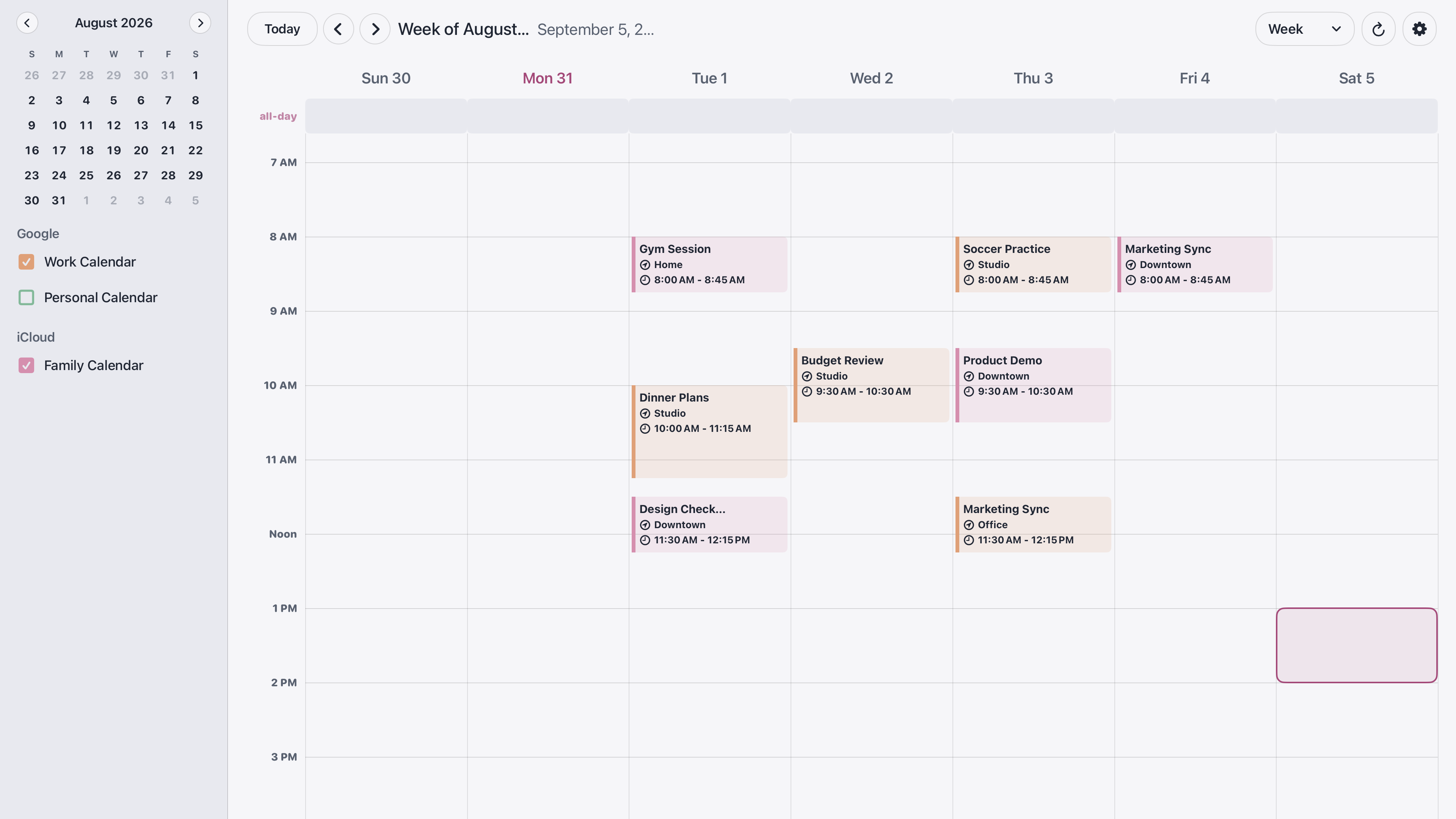
Review today in day view, plan activities in week view, or see upcoming dates in month view. Keep adding and editing events in your usual calendar app.
You need an Apple TV device connected to a television. Setup works from a phone or computer; an iPhone or iPad is not required. Open the calendar app whenever you want your schedule on screen.
Your calendar. Your style.
Flexible appearance options to fit any space, from bright offices and classrooms to dim boardrooms and shared displays.
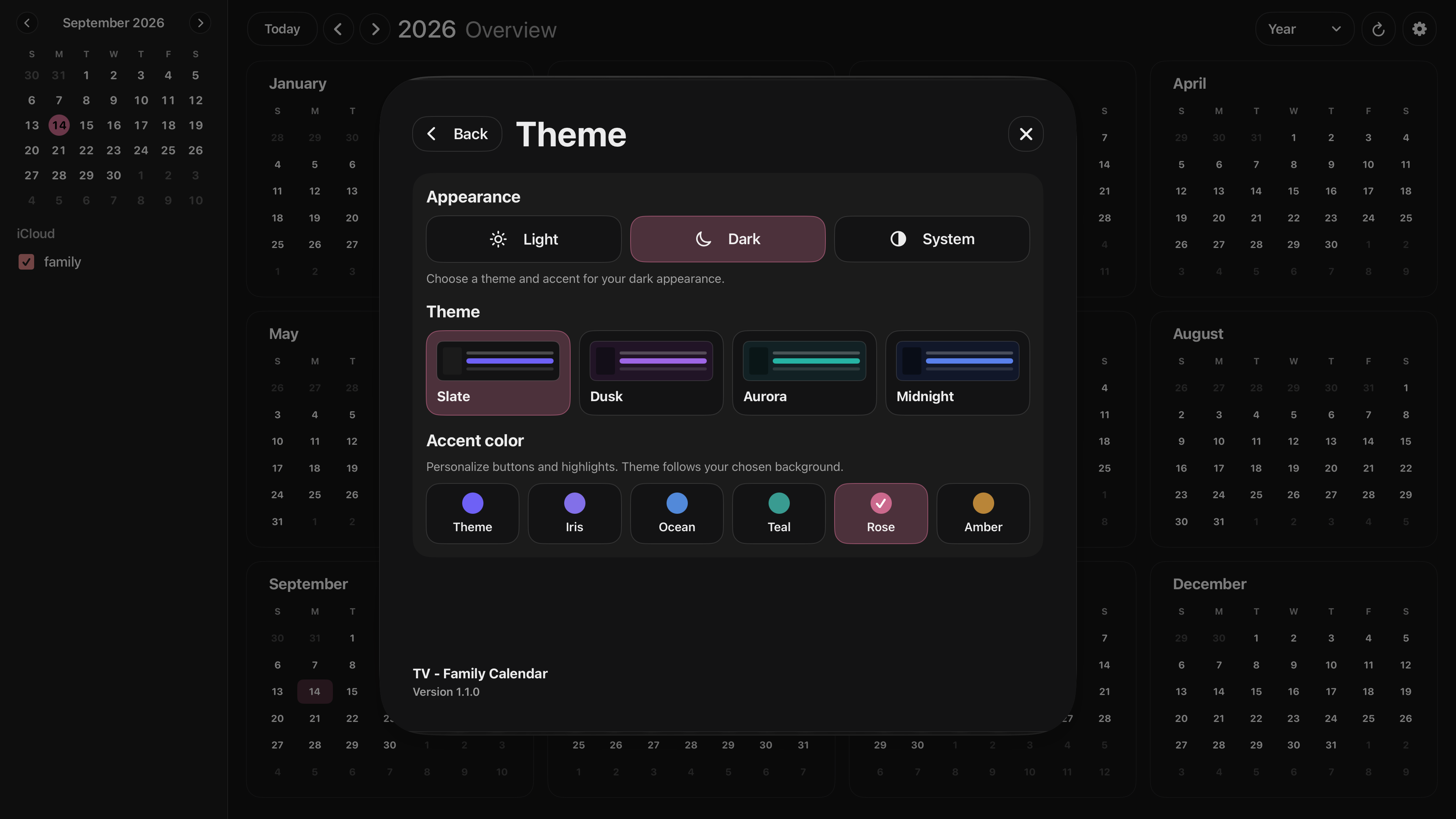
Make your calendar feel at home with different background themes. Explore dark themes like Slate, Dusk, Aurora, and Midnight, then personalize buttons and highlights with an accent color such as Iris, Ocean, Teal, Rose, or Amber.
Choose colors for individual calendars, too, so family, personal, and work plans are easy to tell apart.
Features
Works for families, teams, classrooms, and offices.
Any shared space that needs clear, visible calendar.
Ready at a glance
Leave the family schedule on display while you go about your day. Turn on Keep Screen Awake in Settings to keep it visible while the calendar is open.
Easy pairing
Get started in seconds without needing any additional Apple device. Simple pairing makes setup fast and effortless.
Secure by design
Connect via public iCloud subscription links or read-only Google and Outlook Calendar access. Calendar data is only processed to display your schedule.
Family & business ready
Display school events, appointments, travel plans, and reminders on the biggest screen in the home or workplace so everyone stays aligned.
Pricing
Buy it once for US$9.99 and turn your Apple TV into a shared calendar display. No subscriptions. No in-app purchases. Pricing varies by App Store region.
One-Time Purchase
No subscription
Pay once on the App Store and get the complete TV - Family Calendar experience. No monthly fees, no in-app purchases, and no locked calendar features.
FAQ
Enable Keep Screen Awake in the app’s Settings to prevent the screen saver while the calendar is open.
You need an Apple TV device running tvOS 26.1 or later, connected to your television. The Apple TV streaming app built into a smart TV cannot run this app. Check compatibility on the App Store before purchasing.
TV - Family Calendar displays your calendars with read-only access. Add, edit, or delete events in Google Calendar, Outlook Calendar, or iCloud Calendar on your phone or computer.
Connect Google Calendar or Outlook Calendar with read-only access, or use an iCloud public calendar subscription link. Anyone with an iCloud public link can read that calendar, so choose one intended for sharing.
Install TV - Family Calendar on your Apple TV, then scan the QR code or enter the pairing code using any phone or computer. Follow the pairing page to connect your calendars. No additional Apple device is required.
Yes. Choose Light or Dark mode, or use System to follow your Apple TV’s appearance. Pick a background theme and an accent color to personalize buttons and highlights. You can also choose colors for individual calendars.
No. TV - Family Calendar is a one-time purchase with no subscription or in-app purchases. The US App Store price is $9.99; check your local App Store for regional pricing.
Built with privacy in mind. The app uses read-only calendar access and only processes calendar data to display your shared calendars.
The family calendar guide
Connect Google, Outlook, or iCloud Calendar, choose a view, and make the week’s plans easier for everyone to see.
Read the guide →