Bring your files.
Drag in your images or use the add button. See a thumbnail, format, and file details before you convert.
 Image Factory
BUILT FOR MAC. ENTIRELY OFFLINE.
Meet Image Factory. A simple way to convert, resize, and prepare your images—right on your Mac.
Download on the Mac App StoreUS$4.99 · One-time purchase
Apple Silicon · macOS 27 or later
PNGWebPJPGLESS WORK BETWEEN FORMATS
Bring your images together. Set one output format for the batch, or give each file its own settings.
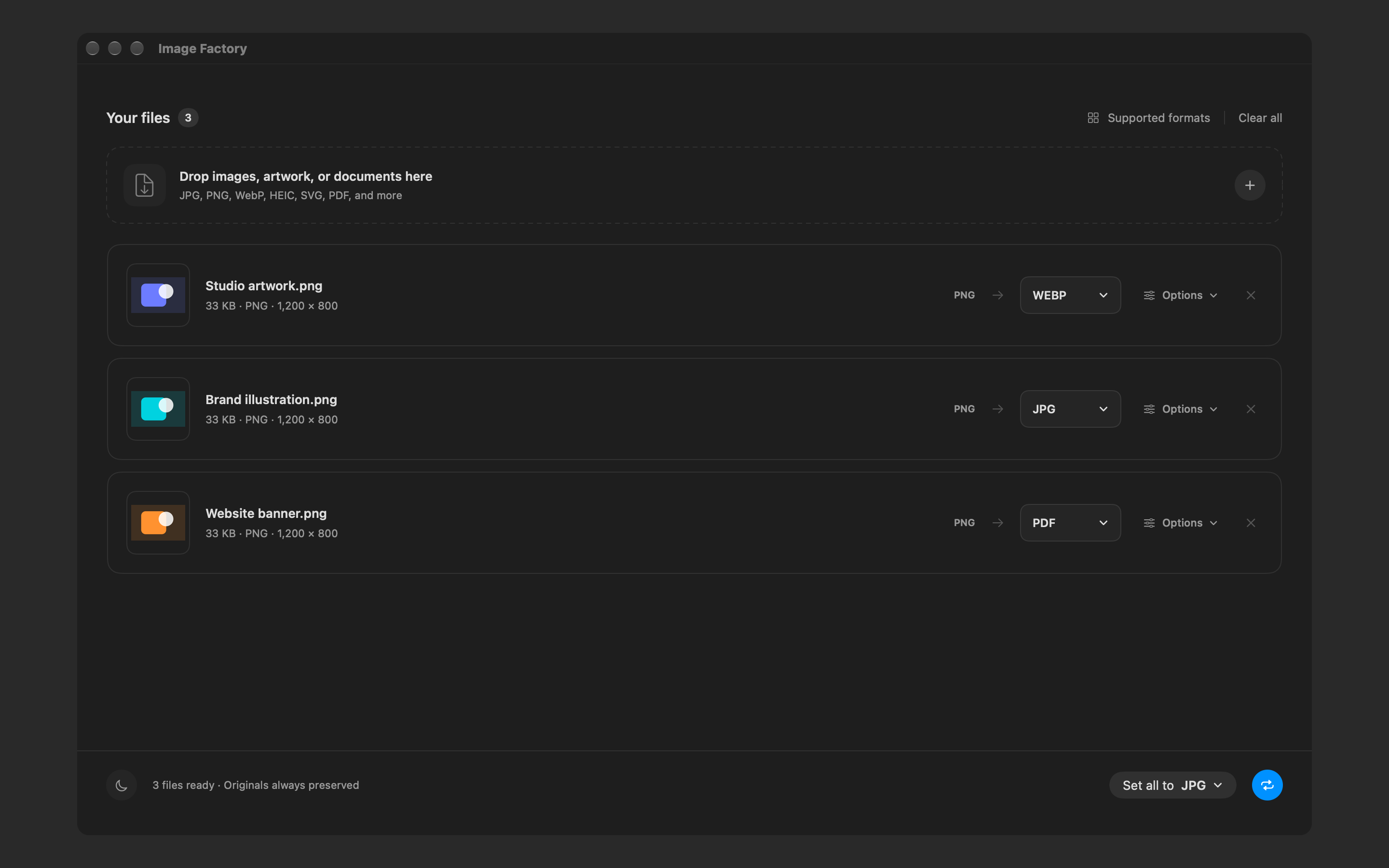
Drag in your images or use the add button. See a thumbnail, format, and file details before you convert.
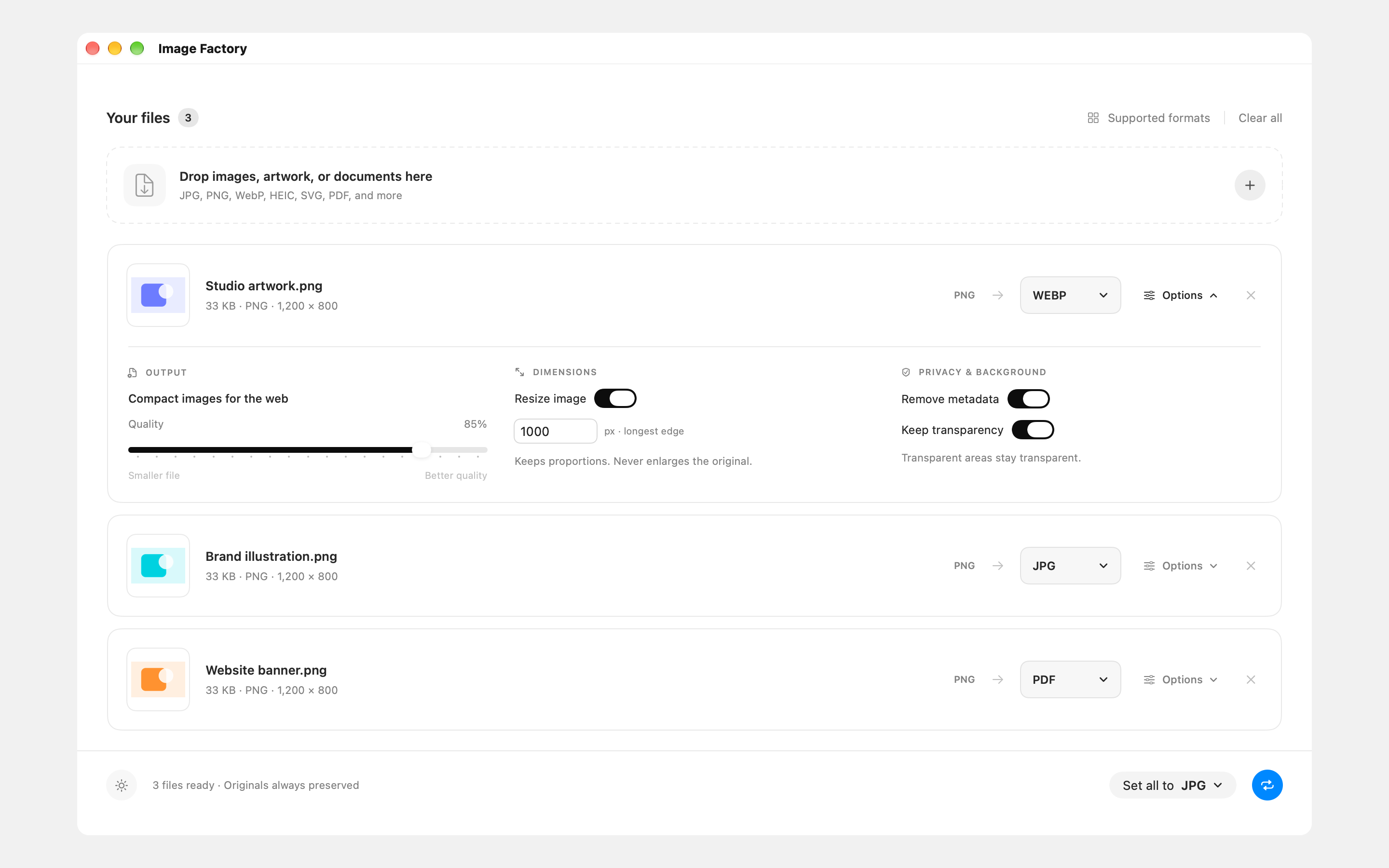
Choose the output format, resize proportionally, and adjust quality where supported. Keep transparency or remove metadata.
Get a fresh converted copy. Your source files stay untouched, and existing exports are protected with numbered filenames.
THE DETAILS, WHEN YOU NEED THEM
A smaller image for a website. A different format for a project. Open a file’s options and make the changes that matter.
FAMILIAR FILES. MORE POSSIBILITIES.
Work with everyday image formats, plus static SVG artwork and single-page PDFs.
See format details and limitationsImport and export support varies by format. SVG and PDF artwork is rasterized.
YOUR FILES STAY WITH YOU
There’s no upload step. No account to create. Image Factory processes your files on your Mac, so you can keep working without an internet connection.
Read our privacy policyGOOD TO KNOW
No. Conversion happens locally on your Mac, with no uploads, accounts, or internet connection required. Your original files stay unchanged.
Work with popular image formats including JPG, PNG, HEIC, WebP, and TIFF. Import static, self-contained SVG artwork and single-page PDFs, too. Available output formats depend on the source file and your Mac; the app shows compatible choices.
SVG and PDF artwork is rendered into pixels for conversion. PDF exports contain a raster image. Vector-preserving conversion, EPS, PostScript, animation, and multipage conversion are not supported.
Yes. Add multiple files and choose a format for the entire batch, or select a different output format and settings for each image.
Image Factory requires macOS 27 or later and a Mac with Apple Silicon.
US$4.99 · Local App Store pricing may vary.