
Nov 2026
/
3 min read
Best Family Tree Maker for Mac? Meet My Family Tree
Build your family tree on Mac, iPhone, and iPad. Pay once for lifetime Premium, sync with your own iCloud, and import and export your family data.
The Mac version of My Family Tree is available now. If the best family tree maker for you is one you can buy once, sync across Mac, iPhone, and iPad through your own iCloud, and export your data from whenever you like, that’s the app we built. See My Family Tree for Mac, iPhone, and iPad.
Build on Mac and pick up where you left off
Sit down at your Mac with a stack of family photos and room to see several generations at once. The Mac app gives you a larger tree canvas and a sidebar for switching between your tree, member profiles, and memories. You can connect relatives, record dates and details, and attach stories, photos, and videos to the people who were there.
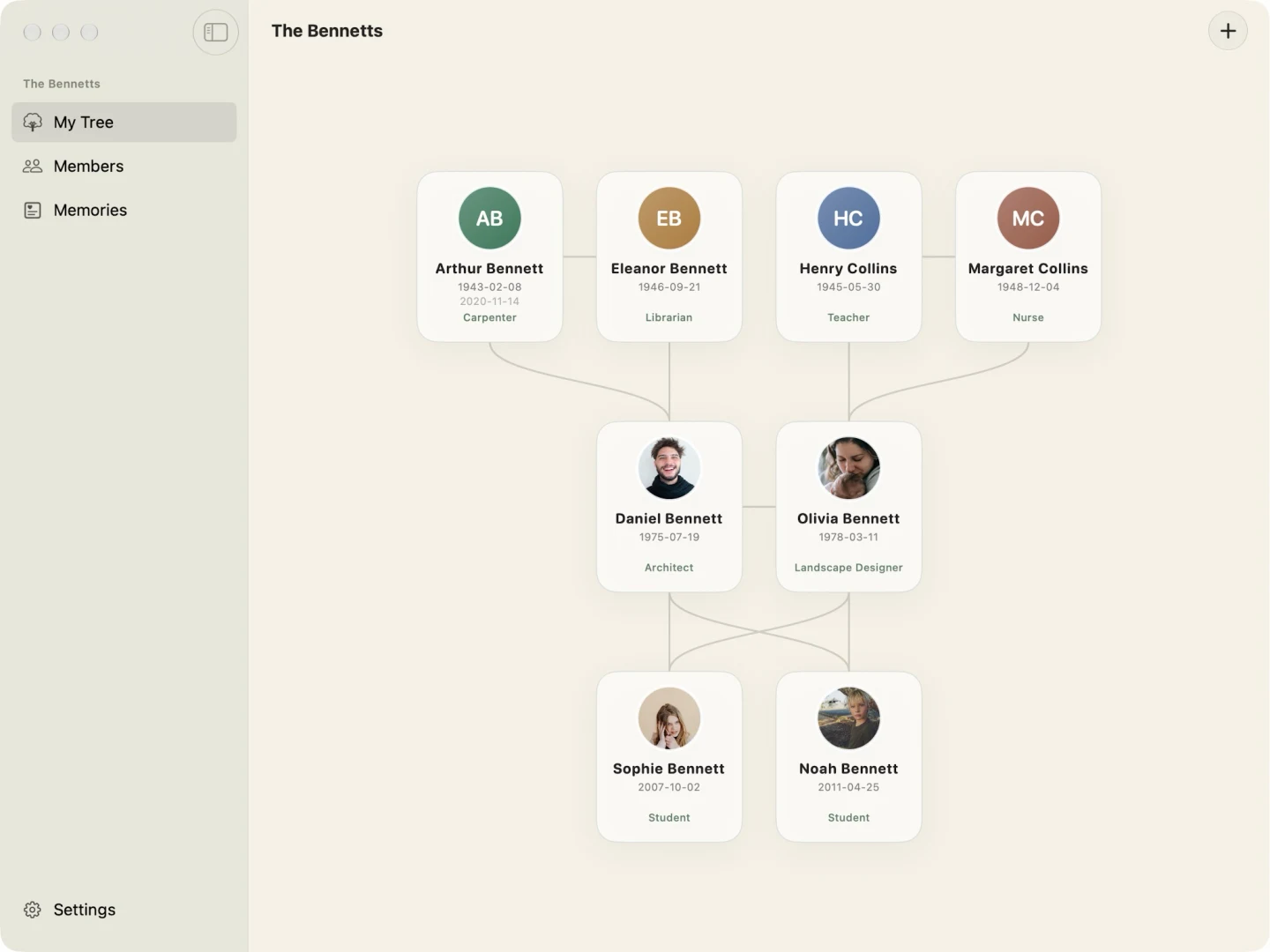
Later, when someone at dinner remembers the year your grandparents moved or tells you who’s in an old photo, add it on your iPhone while it’s fresh. On iPad, you can sit with a relative and browse your memories together. With Premium iCloud sync enabled and the same Apple Account on your devices, you’re working on the same tree throughout the day.
Pay once for lifetime Premium
You can start free with up to seven family members, including yourself. When you’re ready to add more, the one-time lifetime purchase unlocks Premium features including unlimited members, iCloud sync and backup, invited collaboration, CSV import, and family data export. Monthly Premium is also available if you prefer it. See the plans and pricing.
Use the iCloud storage you already have
Your family history stays on your device by default. When you turn on Premium sync, your trees, profile photos, and memory photos and videos sync through your own iCloud account. ANCREATIVE charges no separate cloud storage fee.
Sync uses the space available in your existing iCloud account. Apple includes 5 GB of shared iCloud storage for free, and you can use any iCloud+ storage you already have. If you run low, you can free up space or choose to upgrade through Apple. See Apple’s guide to iCloud storage.
Bring in your data and take a copy anytime
Already keeping family information in a spreadsheet? Download the app’s CSV template from Settings to see how to prepare your file. With Premium, you can import your CSV and export a copy of your family data, including memory photos and videos, whenever you like. Save a copy somewhere you control so you have it separately from your synced library.
If your current genealogy app exports a different format, check its options before moving. My Family Tree imports family information using CSV. Read about moving from Ancestry.
Start with one branch
Download My Family Tree on your Mac and add the people you know best. Try a few profiles, connect two generations, or save the story behind a favourite family photo. When you’re ready to take the tree with you, turn on iCloud sync with lifetime Premium and open it on your iPhone or iPad. Download My Family Tree on the App Store.