Keep it with you
Enable automatic iCloud sync and cloud backup to keep your family history available across your Apple devices.
 My - Family Tree
A private family tree app · iPhone & iPad
A place for the people who made you, and the memories you’ll pass on. Build your family tree and keep your history close with My - Family Tree.
 Download on the App Store
Start with a free plan · Lifetime Premium available
Family data stays yours
iCloud sync & backup with Premium
Made for iPhone & iPad
More than names and dates
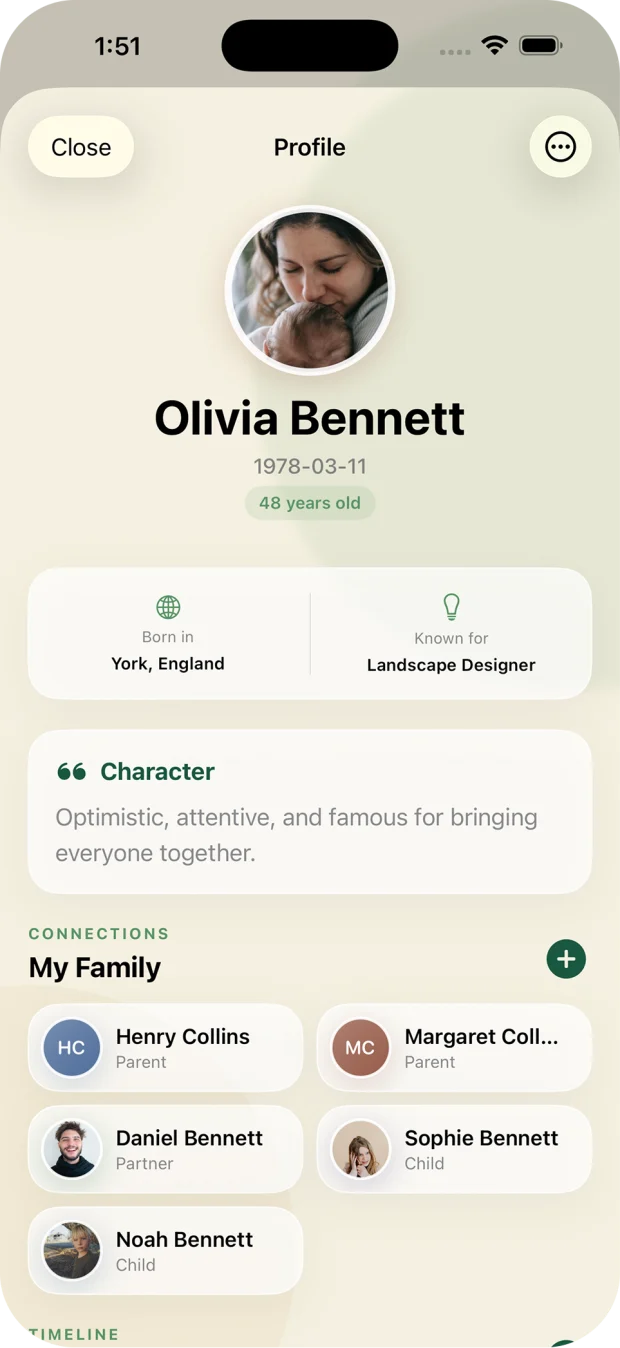
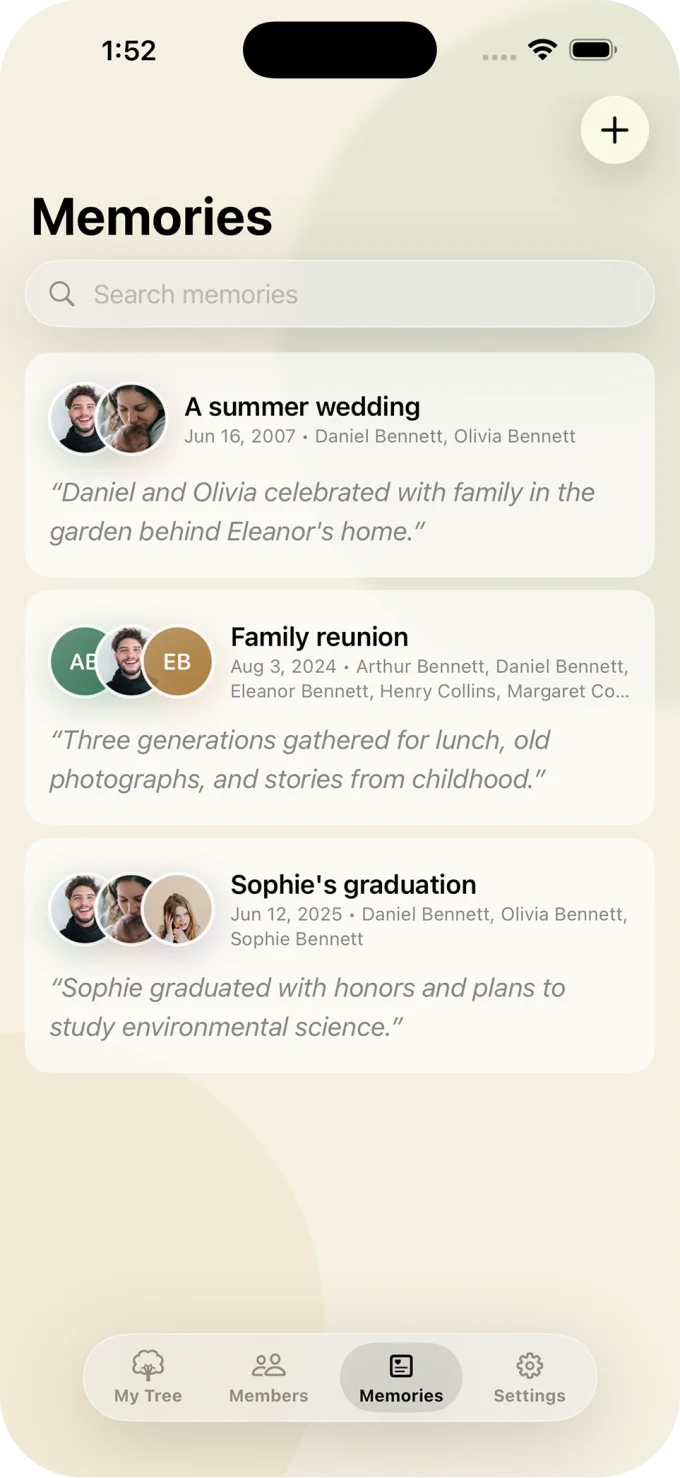
A favourite memory. A place they called home. The little things you don’t want to forget. Give each person a place in your family’s story.
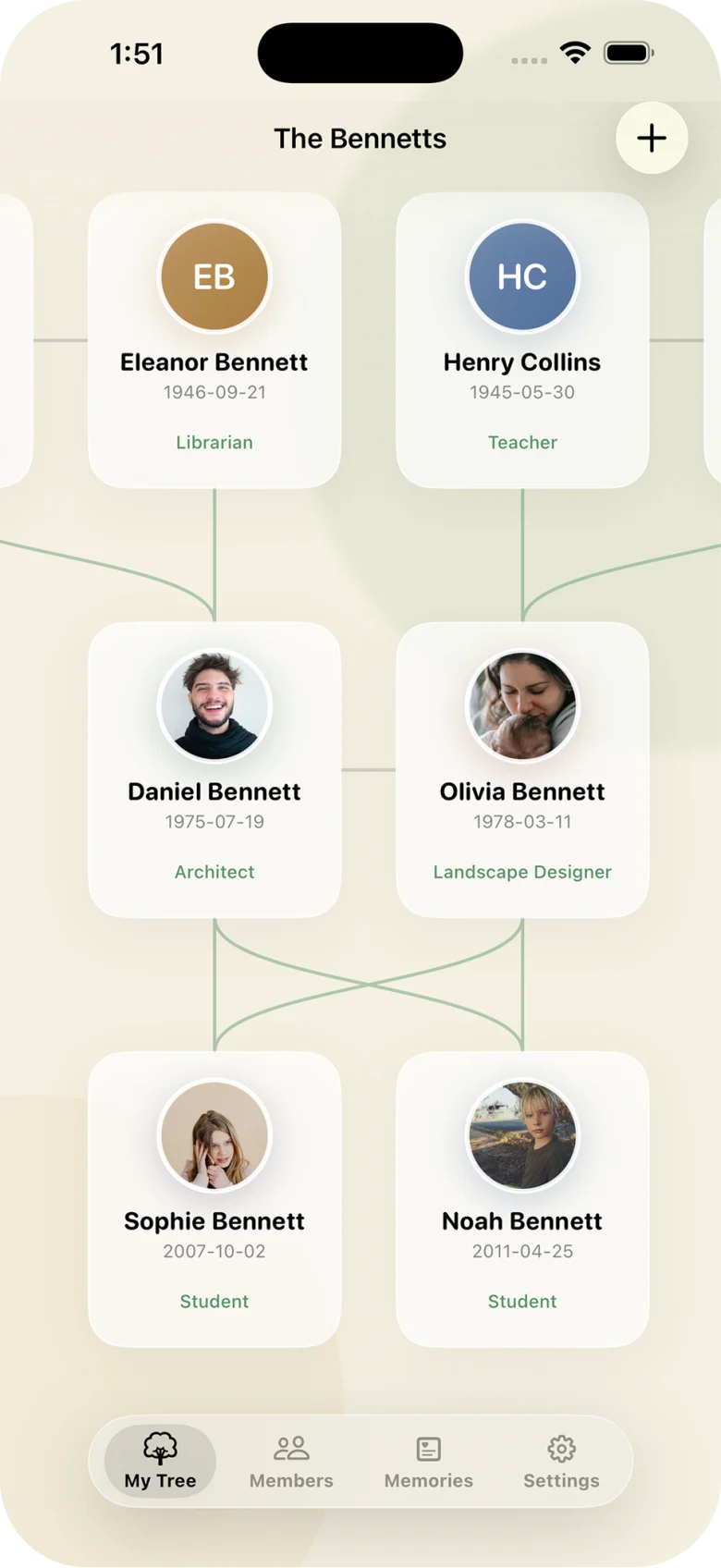
Build a visual family tree with parents, partners, siblings, and children. Follow the connections across generations.
Keep profiles, birthdays, life events, and personal notes together. Browse your relatives in one organized directory.
Save family stories and meaningful moments with the people they belong to. Create and manage multiple family trees as your history grows.
Personal history. Personal data.
Your family tree is stored on your device by default. ANCREATIVE does not collect your family data or keep a copy on its servers.
Turn on optional iCloud sync and backup with Premium to store and sync through your own iCloud account. Share a tree with invited collaborators when you want relatives to contribute.
Read our privacy policyGrow your tree with Premium
Keep it close on iPhone. Settle in with it on iPad. Bring your relatives into the story, wherever they are.
Enable automatic iCloud sync and cloud backup to keep your family history available across your Apple devices.
Invite family members to collaborate. Let relatives add the details and stories they remember.
Import family information from CSV files and export your data. Keep a separate copy of the history you’ve gathered.
Start small. Keep growing.
Start your family tree with the free plan, with a limit on how many family members you can add. Upgrade when you want unlimited members, collaboration, and iCloud backup.
Premium includes unlimited family members, iCloud sync and backup, collaboration, and data import/export.
Free plan
Add family members and begin recording your family’s story. The free plan has a limit on the number of members in your tree.
Start for freePremium · Lifetime
One payment for lifetime Premium access.
Get lifetime PremiumPremium · Monthly
Premium access with a monthly subscription.
Explore on the App StoreUS App Store prices. Local pricing may vary. Premium is purchased in the app; check the App Store for current prices and subscription terms.
Yes. The free plan lets you start and build your family tree with a limit on the number of family members you can add. Upgrade to Premium for unlimited family members, collaboration, and iCloud sync and backup.
Yes. My - Family Tree is available for iPhone and iPad. With Premium and iCloud sync enabled, you can keep your family tree available across your compatible Apple devices. Check the App Store for current operating system requirements.
Your family data is stored on your device by default and is not collected by ANCREATIVE. If you enable iCloud, your data is stored and synced through your own iCloud account. Inviting collaborators lets you share a tree with the family members you choose.
Premium includes optional iCloud sync and cloud backup. When enabled, iCloud keeps your family data available across your devices and maintains a cloud-backed copy. You can also export your data to keep a separate copy.
Yes. Premium includes collaboration, so you can invite family members to contribute information and preserve your family history together.
Premium supports importing family information from CSV files and exporting your family data. Check the app’s import requirements before preparing a file; CSV import does not mean every file from another genealogy service can be imported directly.
No. You can use the free plan with a limited number of family members. Premium is available as a monthly subscription or a lifetime purchase, so you can choose a one-time payment. Unlimited family members, iCloud sync and backup, collaboration, and import/export require Premium.
Start a tree and add the relatives you know. Connect parents, partners, siblings, and children, then add birthdays, notes, and memories. You can build it gradually and manage multiple family trees in the app.
My - Family Tree
 Download on the App Store
Available for iPhone and iPad